 |  |  | |  |  |  | |  | |
 | |||||||||
 | | |
| dESPair CodaBot Info & Tutorial
| INDEX 1) What is CodaBot ? | |
| Locate the X-Plane.out file, residing in the root folder of your running X-Plane system. Again, read the mission docs to learn how you make XP writing the data to the output file. CodaBot now begins to read the file, and in a next step, it parses the data. If you have selected many output parameters, and/or you have recorded a long flight, this might take some time. Once this process has finished, the "Load source file button" is disabled, and the next button - "Downsample data" is enabled. | 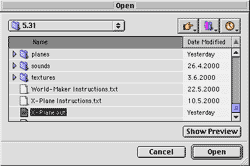 | |
| Step 3 - Downsample data XP outputs 10 data points per second. This is way more than we need for flight analysis. Thus, you downsample the data by selecting the downsampling rate. 1:2 means each second data point is used, 1:100 means each 100th data point is used. A 2 MB .out file downsampled with 1:25 will result in approx. 60kB data. Once the downsampling is done, the button isa disabled and the next button "Plot data" is enabled. | 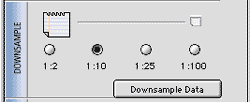 | |
| Step 4 - Verifying/analyzing the data You can skip this step, if you are about to send the data to HQ for further analysis. But it can be educative if you look at the data. For in-depht analysis, the data can be saved in tab delimited format, for use in any spreadsheet. See step 6. Clicking the trinagle will bring up a table showing the data. This may take pretty long time AND requires huge amounts of RAM (32Megs and up). This feature was introduced for debugging, and isn't very usefull. | 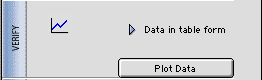 | |
| Clicking on the "Plot Data" button brings up the Data Plotter window. Select any checkbox to get that data plotted in the window. Select any radio button to have the respective scale (y values) being active and displayed.
Command-Click to have a vertical line being displayed, together with the respective y-value. | 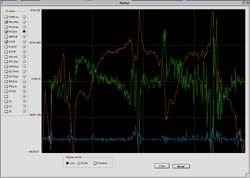 | |
| Next Chapters >>> | ||
